PIES Studio 1.9 · Use case · Design note
Ward Assets: designing a hospital equipment and consumables system with door readers, smart bins and PIES Studio
A design study with a working prototype. This is the full technical companion to the video: how passive RFID behaves on a ward, how to set up a door reader and build a smart bin, how the hardware connects to a PIES application through two events, what the platform produced from a description, what still needed an engineer, and what we did not solve. It is a design, not a production system. PIES stands behind it: if you want it built for your hospital, or a system like it for your site, write to info@pies.io or use pies.io/contact.
The videoThe problemDoor readersSetting up a door readerSmart binsBuilding the binConnecting to PIES StudioWhat the platform builtThe prototype runningThe assistantWhere the AI runsWhat we did not solveSources
The video
The problem is a sensing problem
A cardiac arrest on a ward, and the defibrillator is not on its hook: someone borrowed it, and nobody knows which room it went to. That is the extreme case of an everyday problem. A nurse hunting for equipment is a nurse who is not at a bedside, and published estimates put that hunting at somewhere between twenty minutes and an hour per shift (see sources; most of those figures come from vendors, so treat them as indicative). Consumables fail the other way: a dressing drawer is empty because somebody was supposed to count it and did not have time.
Any system that asks clinicians to scan, count or type a location fails, because the people it asks are the busiest people in the building. So the design rule is: ask as little as possible of the clinician, and sense where people already pass. That means two places: doorways for equipment and disposal bins for consumables.
Decision one: read at the doors, not in the rooms
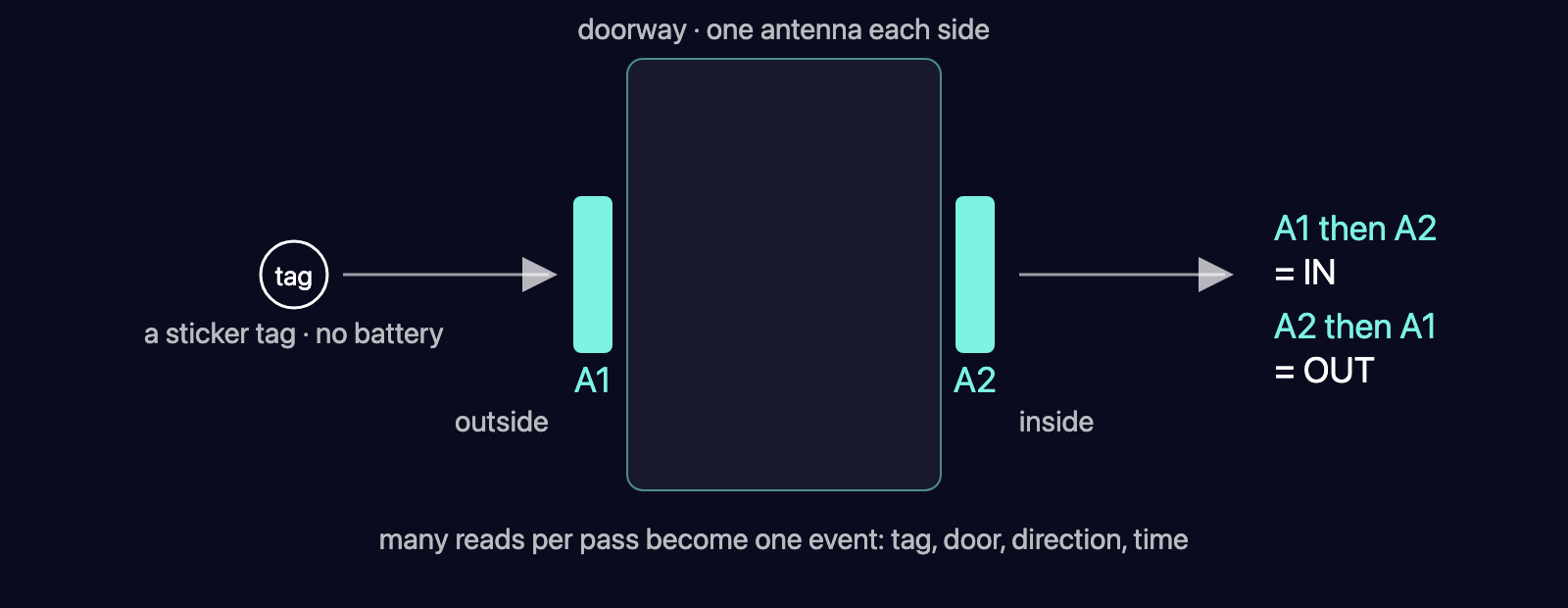
How the tag works. Equipment and packs carry passive UHF RFID tags (RAIN RFID, EPC Gen2, 860–960 MHz). A passive tag has no battery: it harvests energy from the reader's field and reflects its identity back. Read range is a few metres in open air and collapses near metal and water, which is exactly what a ward is made of: steel trolleys and pumps, saline bags, people. Equipment therefore gets an on-metal tag with a foam or ferrite spacer under the antenna; packs get an ordinary label tag.
Who applies the tags. The stores team, once, when an item is received and logged into the hospital. Equipment is registered against its tag identity at goods-in; so is each delivery of consumables. Supplier-applied tags are an optimisation for later, not the design.
Why doors. A room-wide reader tells you a pump is "somewhere on 7B", with constant noise. A door reader tells you it entered 7B at 06:48 and has not left. Zone-level truth beats bed-level guesses, and a doorway has fixed geometry you can tune once. Budget four to eight portals per floor; lifts and stairwells need their own.
The event. One pass produces dozens of reads. The reader, or the small gateway beside it, collapses them into a single record: tag, reader, direction, time. Current location is simply the latest event; the history is the audit trail.
Setting up a door reader: the installer's checklist
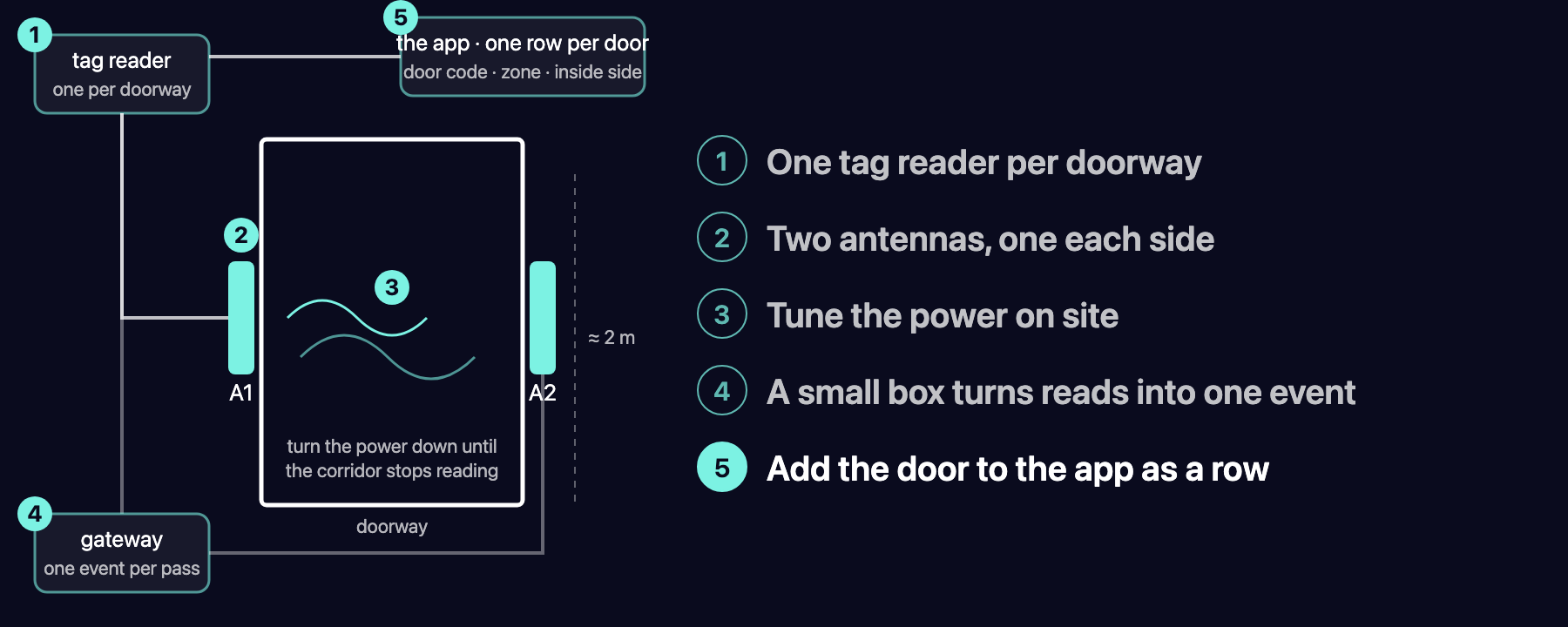
| Step | What | Detail |
|---|---|---|
| 1 | Fixed UHF reader | Two of its four antenna ports serve one doorway, so one reader covers two doors. Regional band: 865–868 MHz in Australia and Europe, 902–928 MHz in the United States. Check the band before ordering antennas. |
| 2 | Two circularly polarised antennas | One each side of the frame, 1.5–2 m high, angled across the opening. Circular polarisation means tag orientation stops mattering. |
| 3 | Tune on site | Start around 25 dBm and turn the power down until the corridor outside stops reading. Set an RSSI floor to drop weak reads. Use session 2 with the inventoried flag so a pump parked by the door is reported once, not all night. Allow about a day per ward for this; metal doors and lift shafts bend the field in ways no diagram predicts. |
| 4 | Gateway | A small box beside the reader (a Raspberry Pi class device is enough) speaks LLRP to the reader (TCP 5084 on common fixed readers), decides direction from which antenna saw the tag first, keeps one event per tag for 5–10 s, queues events if the network drops, and posts HTTPS to the application. |
| 5 | Register the door | A row in the application's readers table: reader code, zone, which side is inside. The gateway only ever sends the reader code; the application resolves the zone. |
Decision two: the smart bin is a disposal bin
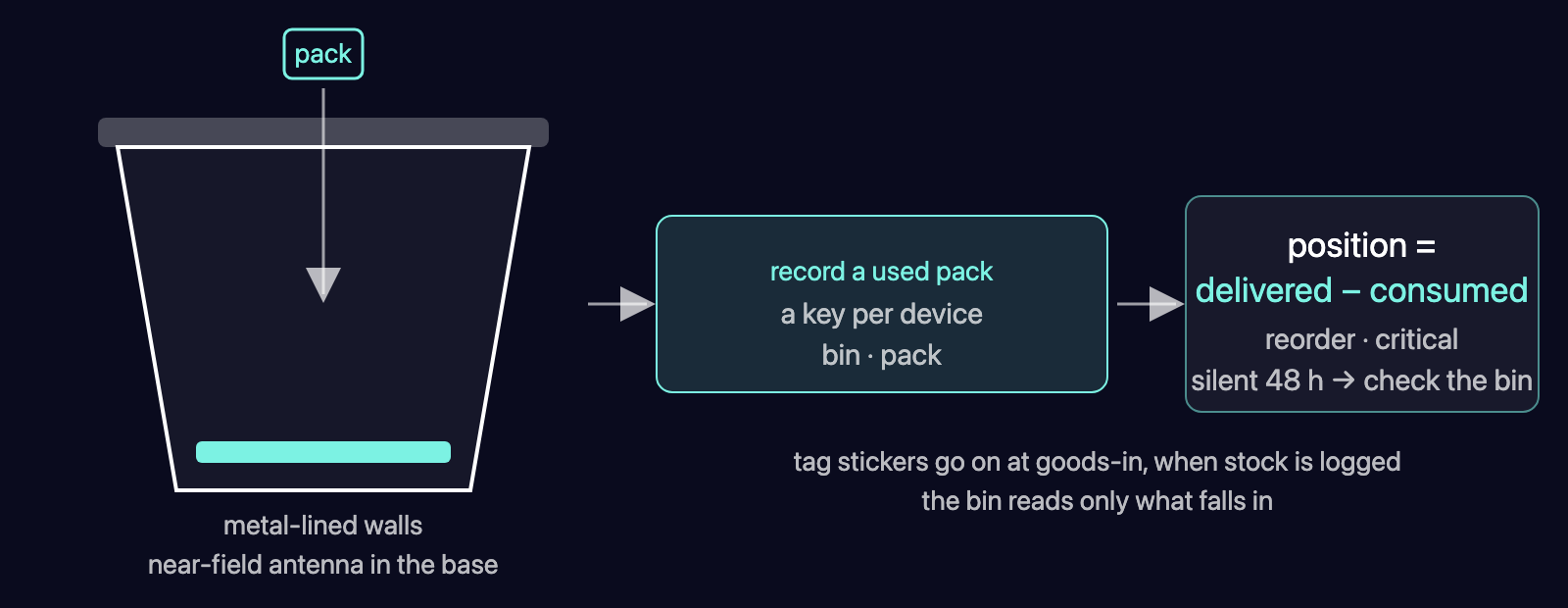
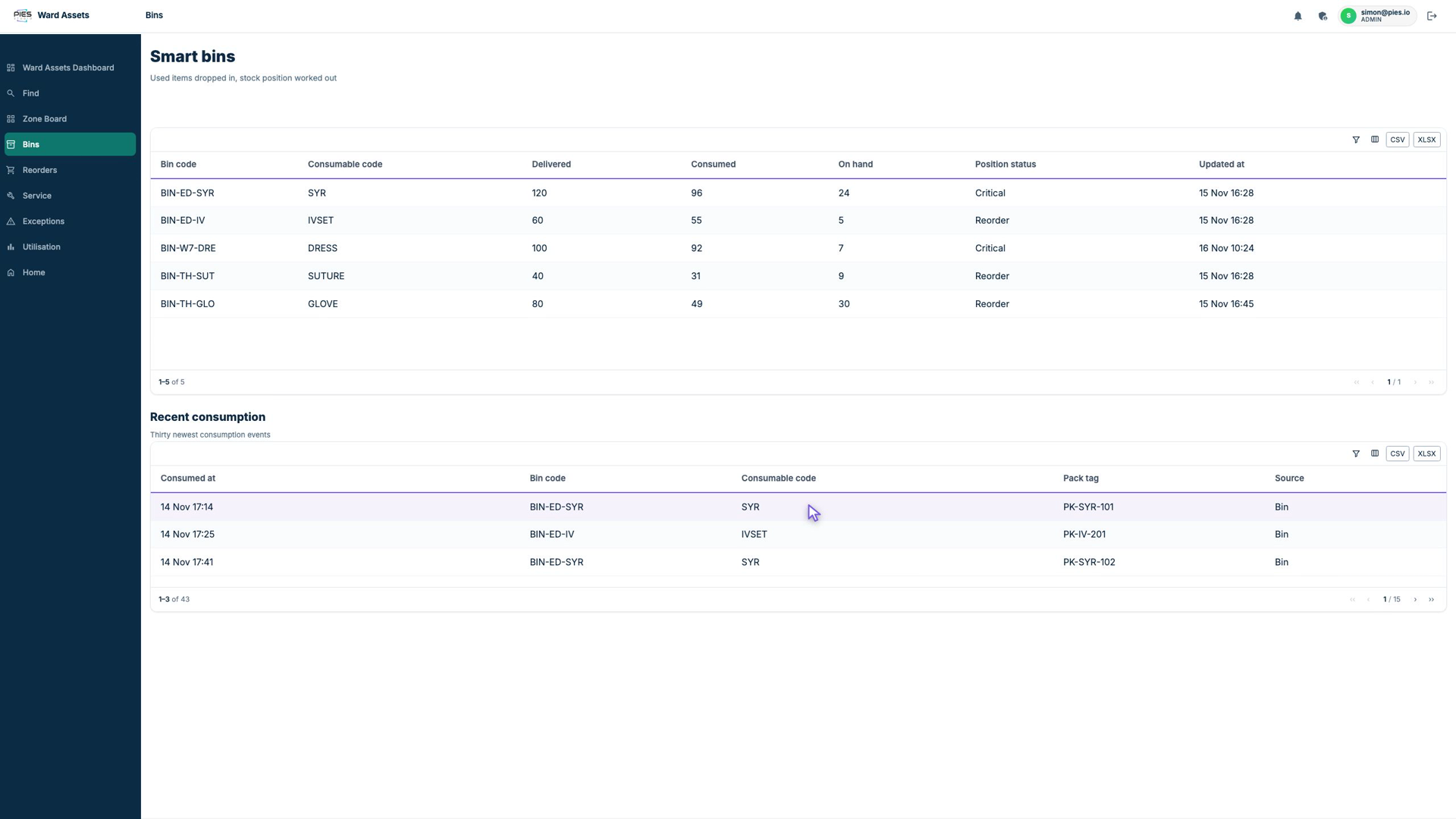
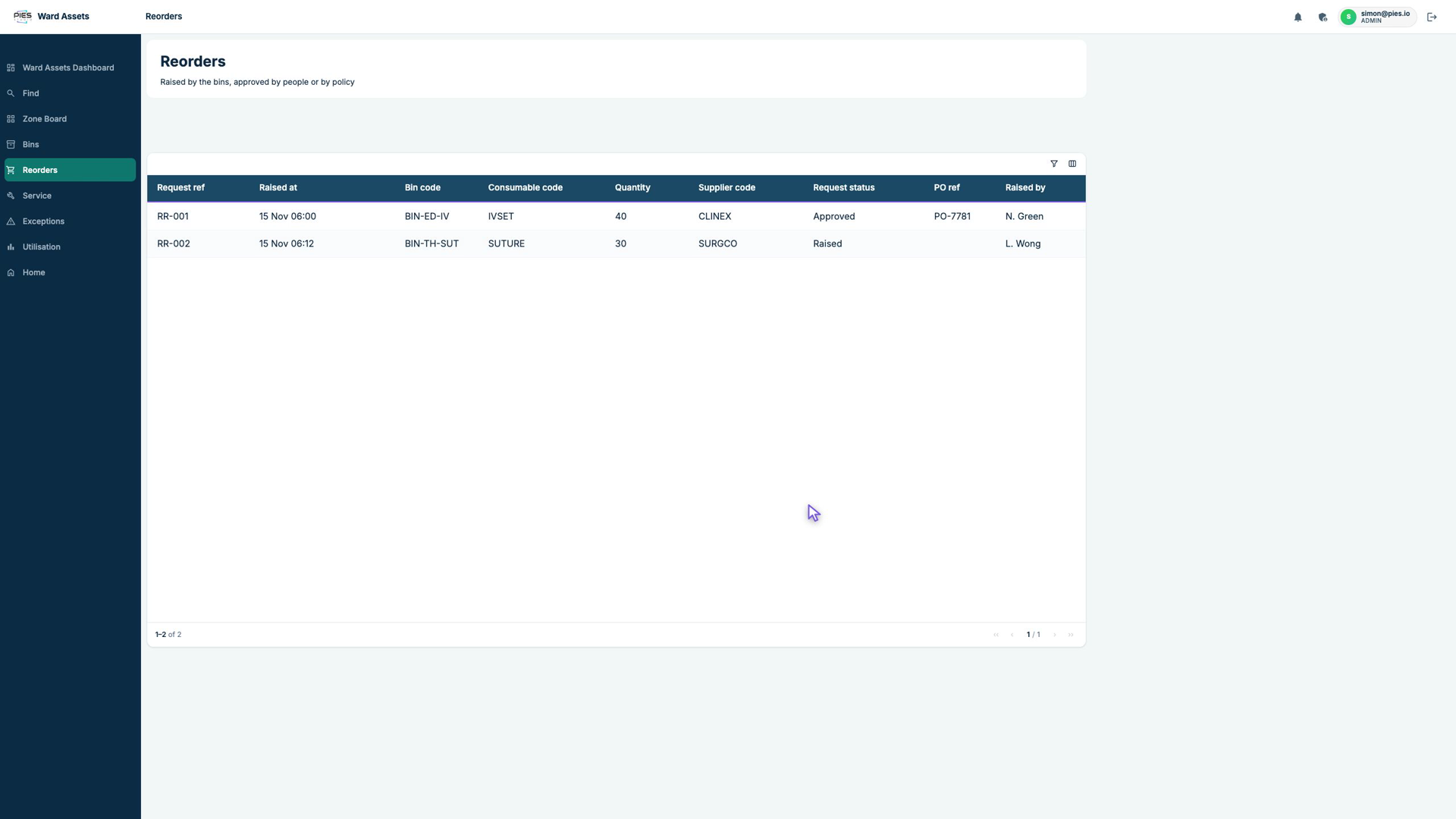
Put the reader in the bin, not on the shelf. The bin is shielded so it only sees what falls into it, and each tagged pack is logged once. Stock position is then delivered minus consumed, per bin, per item, with reorder and critical thresholds on the position. Nobody counts a shelf. Reusable items can pass through the same bin on the way to sterilisation, which gives a last-seen for recalls. This pattern is documented in patents and sold commercially for theatre sponges and consumables (see sources).
Building the smart bin
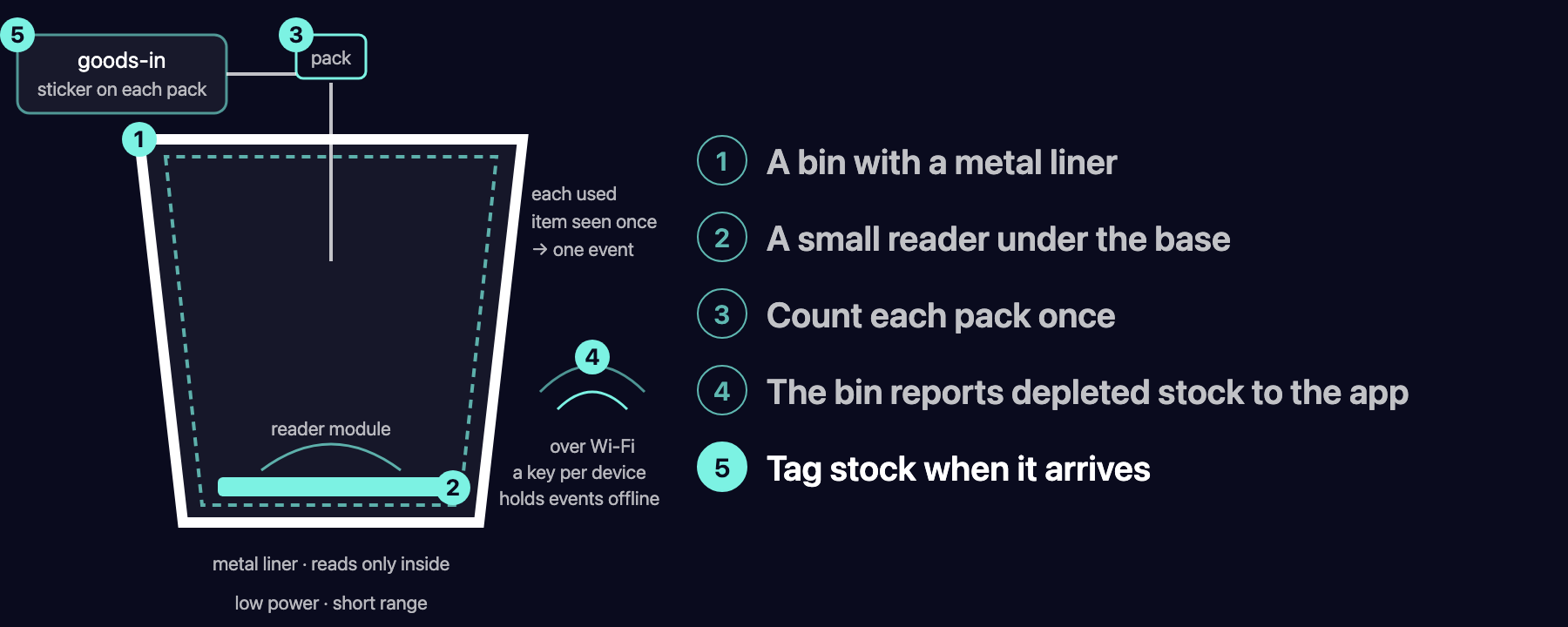
| Step | What | Detail |
|---|---|---|
| 1 | Shielded bin | A normal clinical bin with a metal liner, or a steel bin. The shield is the design: the antenna must see inside the bin and nothing on the shelf beside it. |
| 2 | Reader module | A small UHF reader module with a near-field antenna under the base plate, at 10–15 dBm for a 20–30 cm read zone. Module and antenna cost tens of dollars, not thousands. |
| 3 | Count once | A new tag identity (EPC) is one event. The same EPC seen again within the hour is ignored. An empty-bin reset happens when the bag is collected. |
| 4 | Post | Bin code and pack tag go to the application over Wi-Fi, using the same gateway code as the doors and an API key issued for the bin. Hold events locally if the network drops. |
| 5 | Tag at goods-in | A label tag per pack when the delivery is logged, linked to the consumable code and the bin. Not a ward job. |
Connecting the hardware to PIES Studio
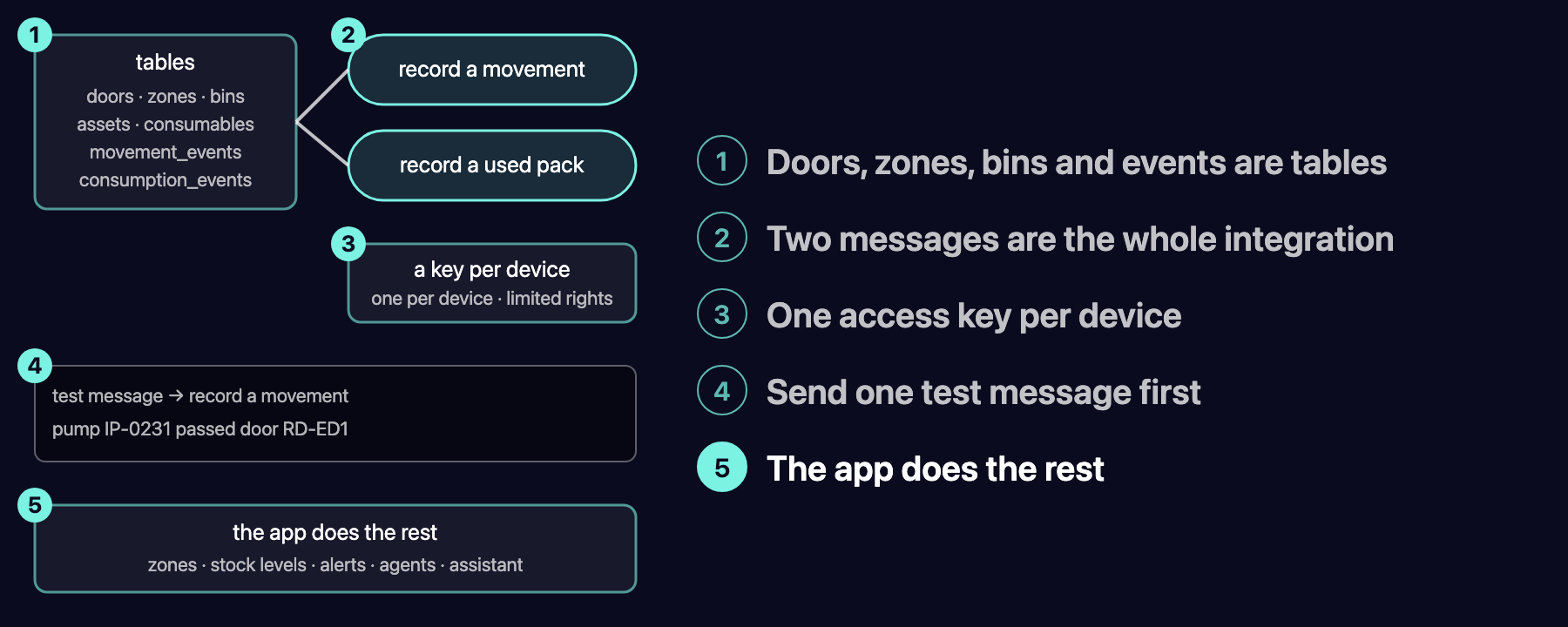
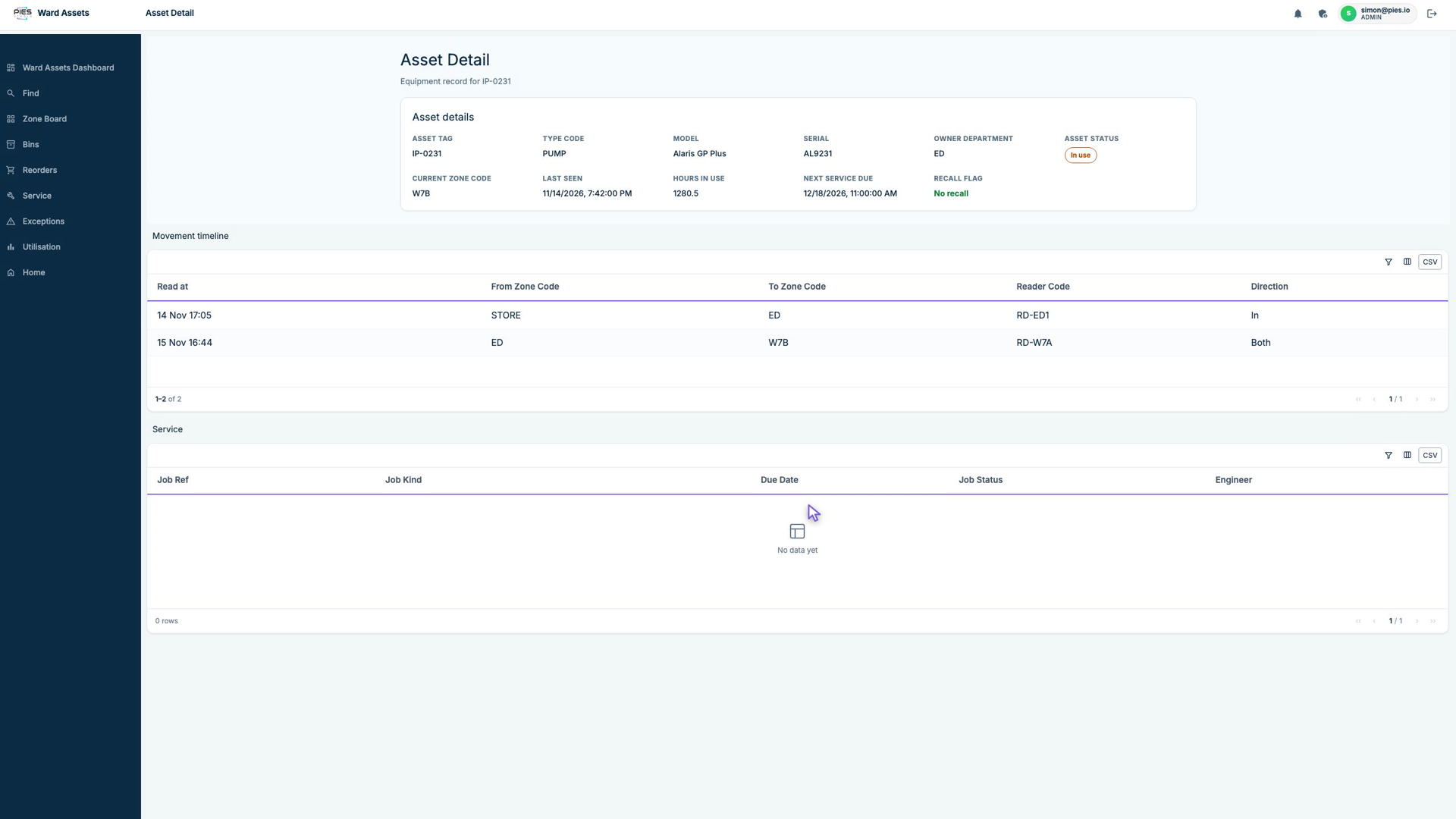
- Everything is data. Readers, zones, assets, bins, consumables and the two event tables (movement_events, consumption_events) are tables in the application. Adding a door is adding a row.
- Two functions are the integration.
record_movement(asset_tag, reader_code)looks up the reader's zone, writes the movement row and updates the asset's current zone.record_consumption(bin_code, pack_tag)decrements the position and sets its status. Every function in a PIES application is also an HTTP endpoint:POST /api/record_movementandPOST /api/record_consumption, JSON in, JSON out. - One API key per gateway. Keys are issued from the application's Admin page, sent in the
X-API-Keyheader and scoped to a role, so a gateway can post events and nothing else. The deployed application publishes its own OpenAPI document for the installer. - Test before mounting an antenna.
From there the application does the rest: zone resolution, thresholds, exceptions, the agents and the assistant. The hardware only ever sends two kinds of event.
What the platform built from a description
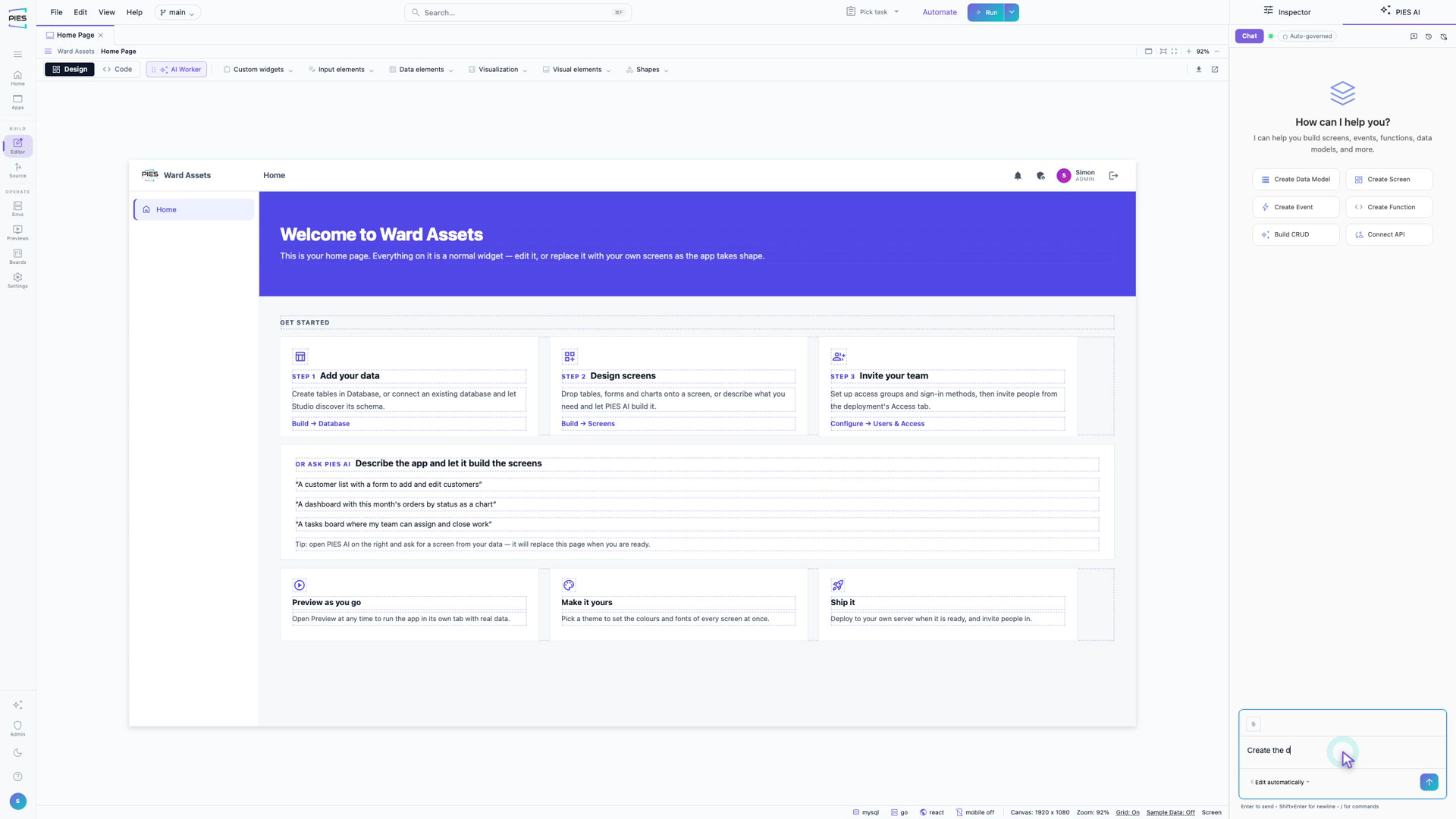
The build ran on a frontier model and produced the data model (sixteen tables, references by code), the screens, the dashboard and the two endpoints. Where a function needed correcting, the correction was one more sentence in the same chat. To be precise about the limits: the threshold logic and the timestamp handling in the functions took an engineer's attention; everything that reads and displays data came straight out of the description. The defects we hit on the way were filed against the platform and are being fixed.
The prototype running
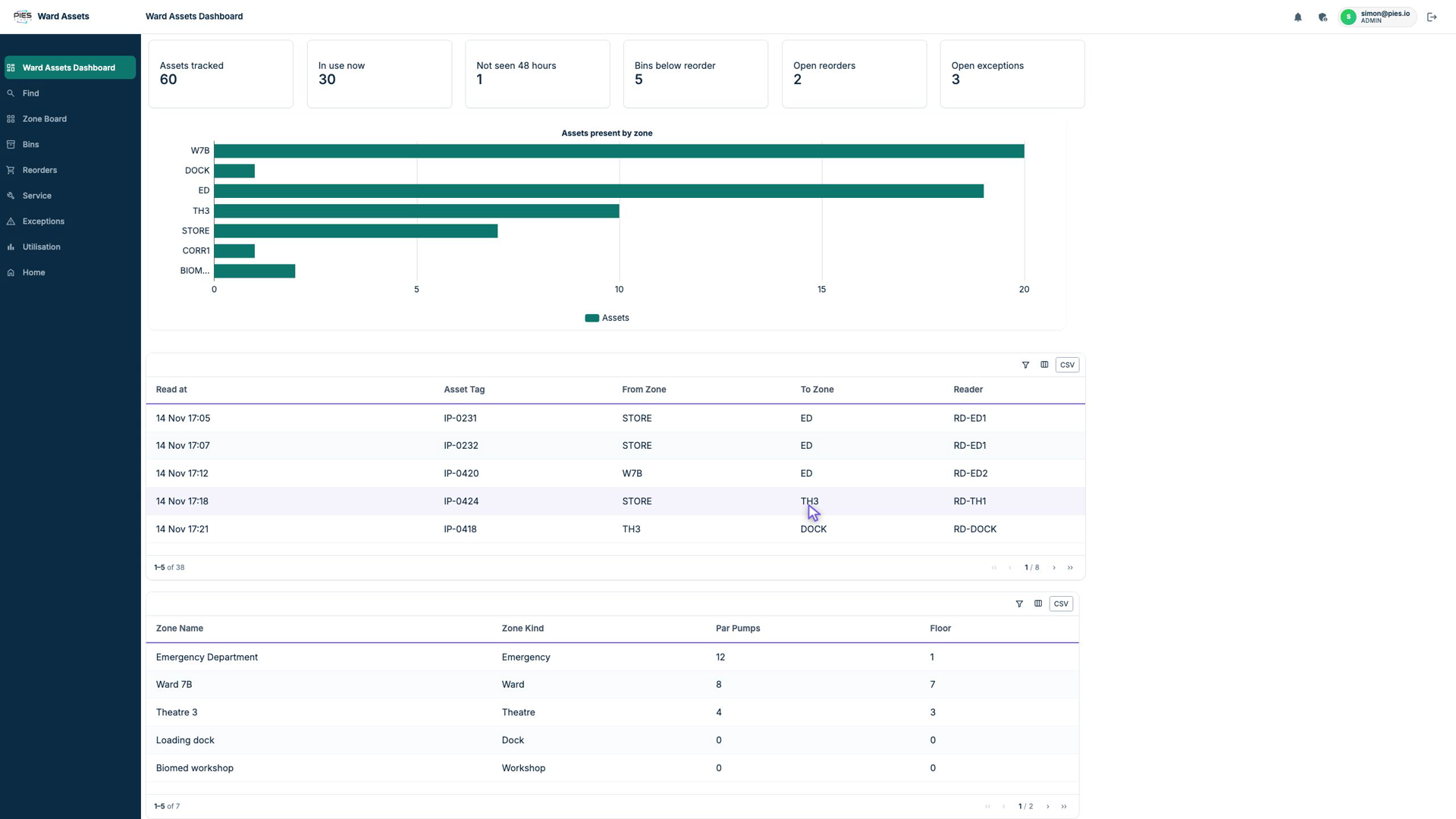
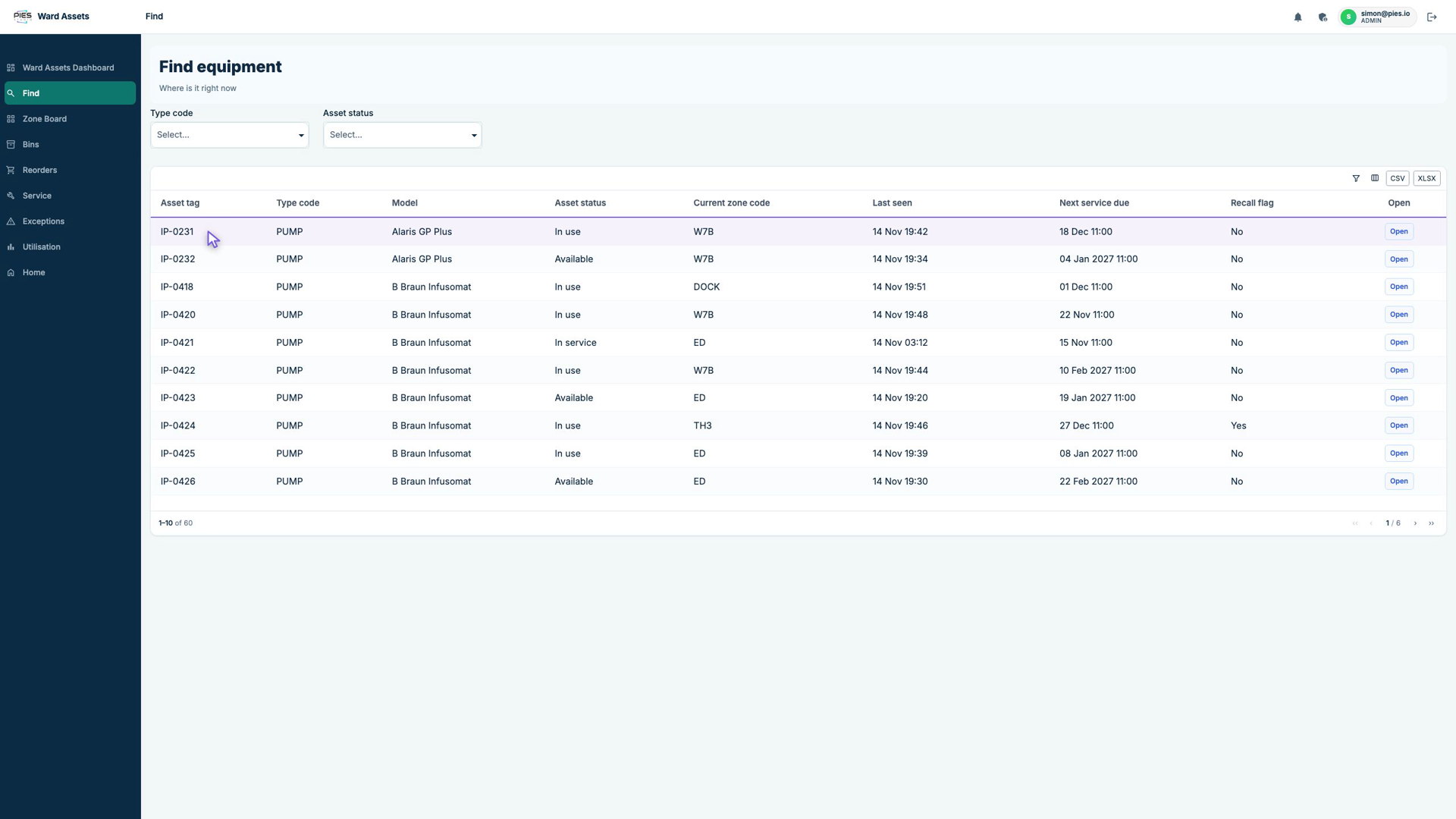
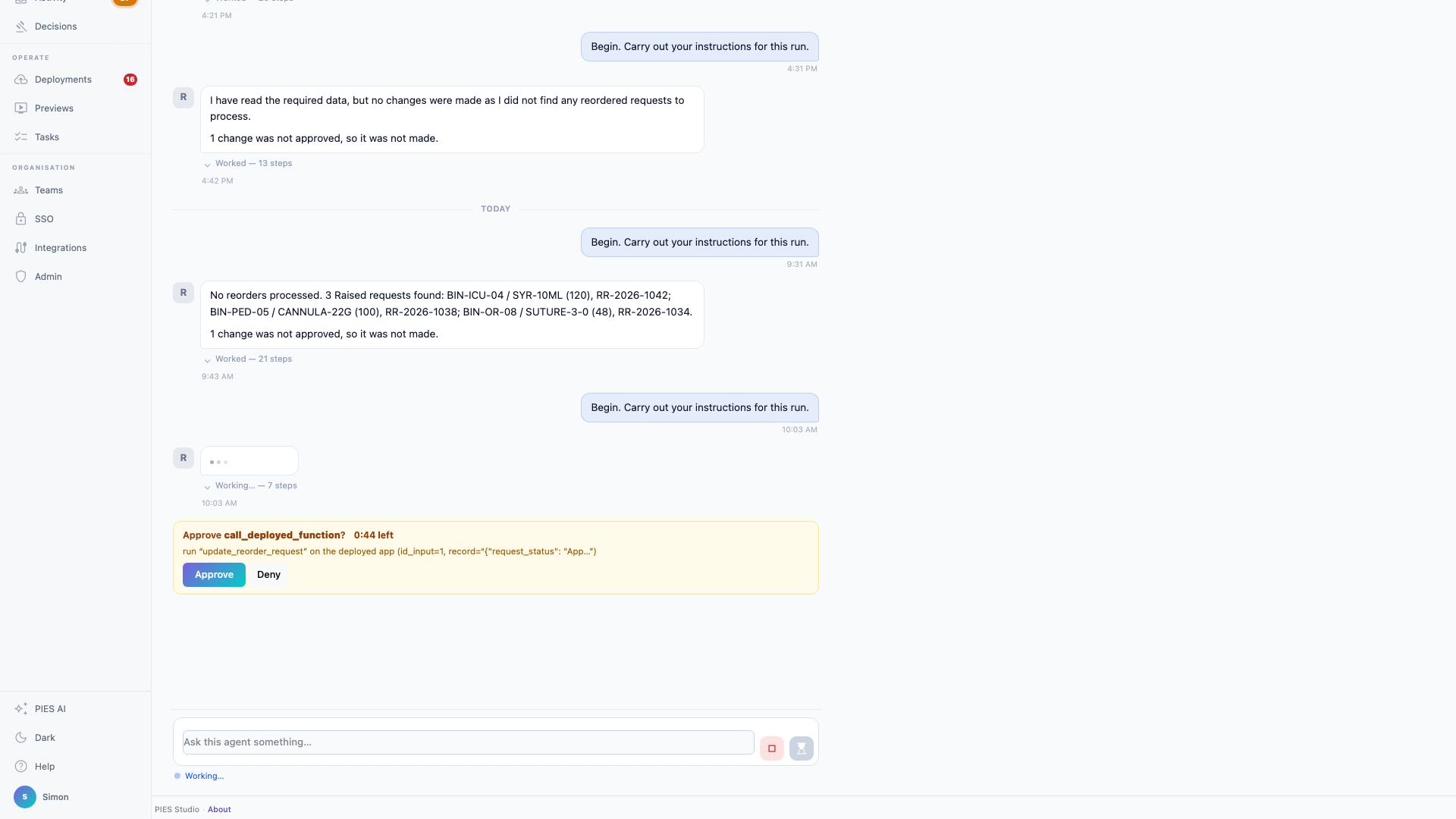
The shortest path is not a screen
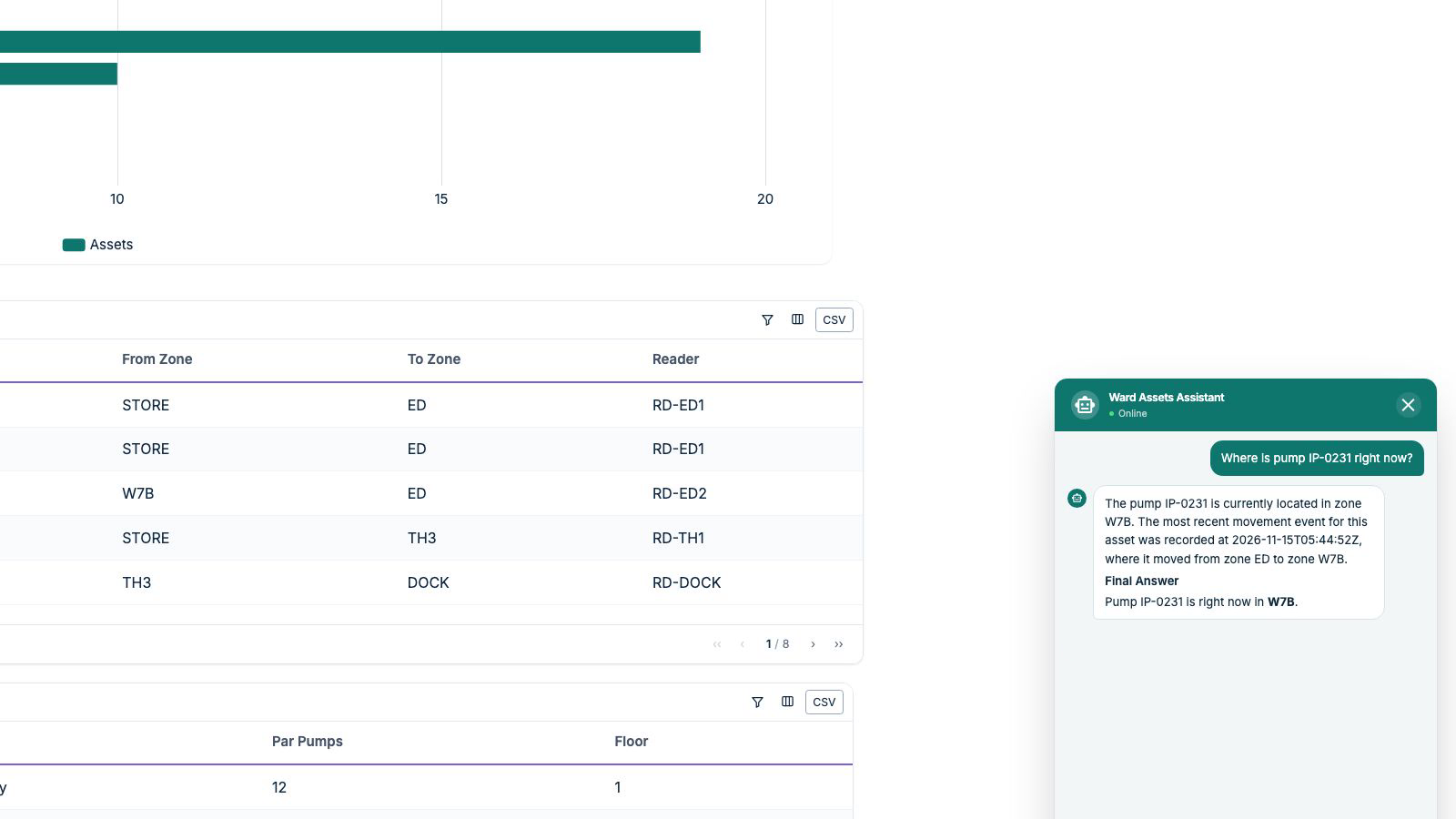
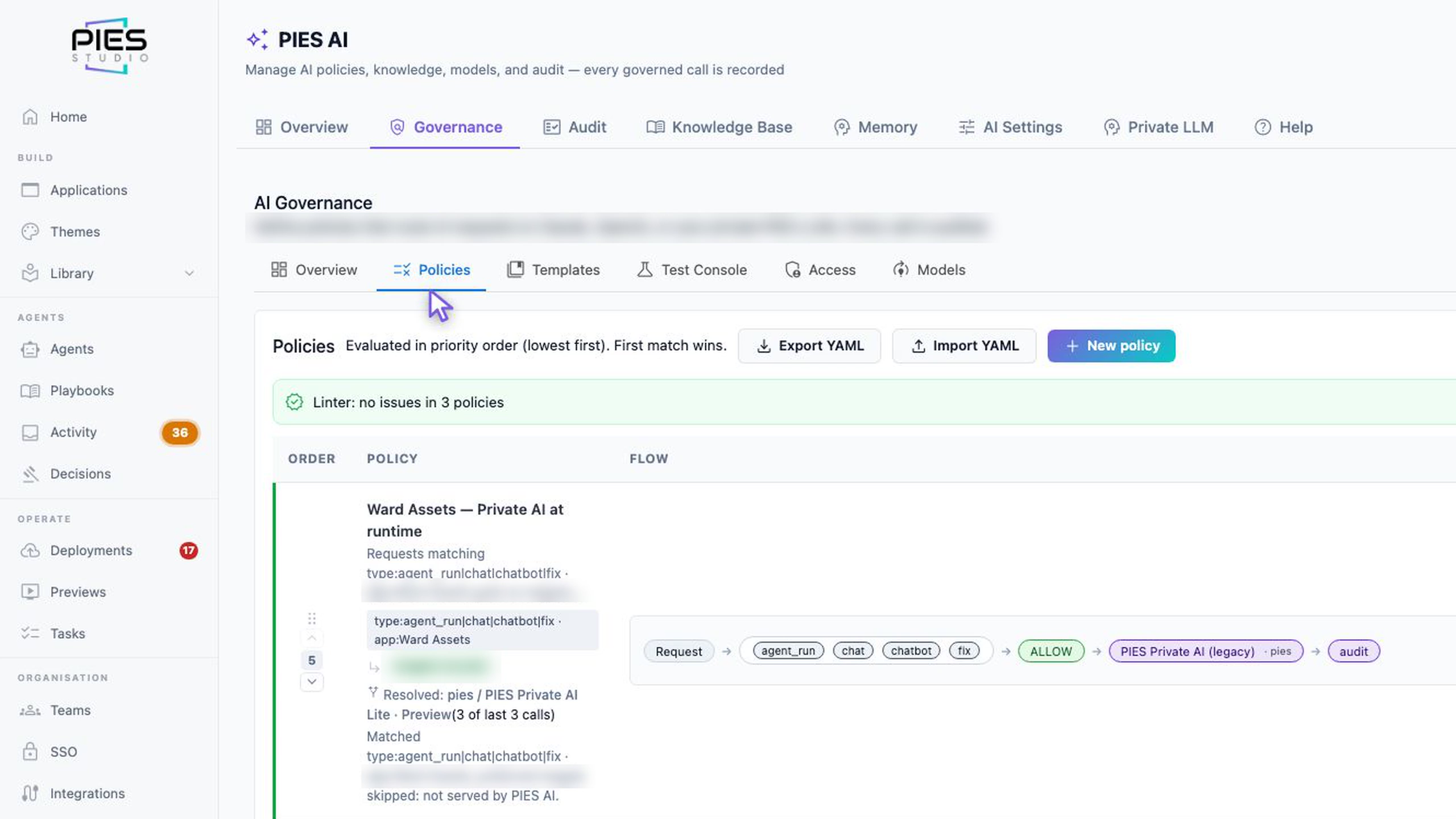
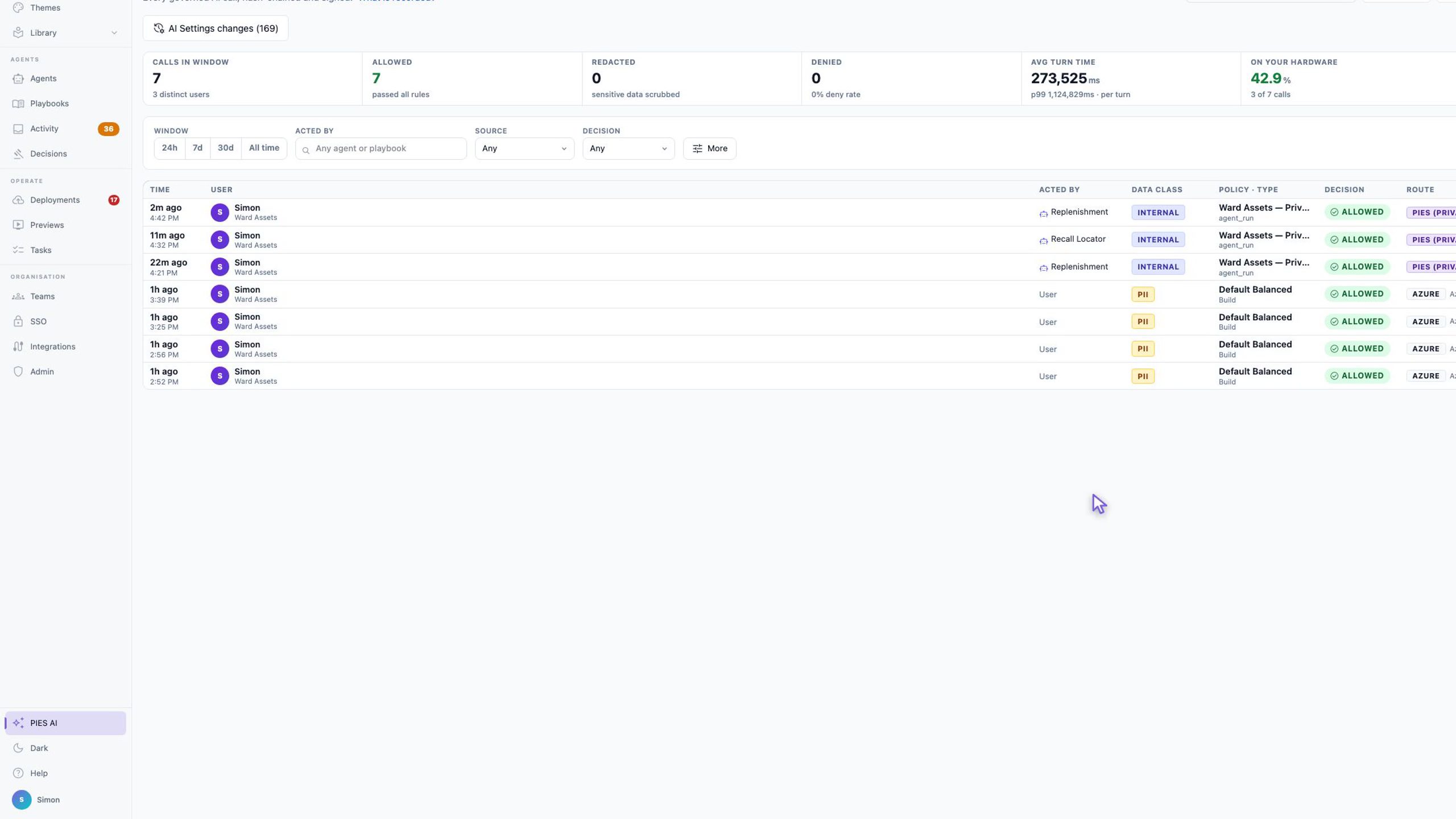
The assistant's questions follow the same policy as the agents, so they go to PIES Private AI. In the prototype the answer arrived in about thirty seconds and still carried some of the model's working; both are logged as defects against the assistant, not the design.
Where the AI runs is a design decision too
What we did not solve
- The readers in the prototype are a script posting the same two events a gateway would; no antenna was mounted.
- The dashboard polls; it does not push.
- The purchase order is a record in the application, not a message to a procurement system.
- Recall handling is a scheduled sweep, not a workflow.
- Read rates on metal equipment depend on the tag chosen and on tuning each doorway on site. Budget a day per ward.
- A disposal bin counts packs, not partial use.
- Patient-outcome evidence for equipment tracking is thin; the published case for it is time saved, not harm avoided.
Sources and further reading
- Direction of pass from two antennas: RFID-based People-object Direction of Pass Detection; US patent 7,100,052 (first-antenna-seen direction logic).
- Disposal-bin counting: US patents 7,639,136 and 7,990,272 (RFID medical supplies consumption monitoring, waste-container reader); two-bin kanban, US patent 8,113,424.
- Reader middleware, LLRP, deduplication windows and RSSI thresholds: RFID with MQTT and IoT protocols; Fixed reader LLRP setup guide; OpenRFID middleware.
- Tags near metal and liquid, on-metal tags: How RFID tags work; RFID medical equipment tracking: system design and reader selection.
- Nurse search time: RFID Journal on the Georgia State / Vizzia study; Scanning for safety: the rise of RFID in healthcare (Cambridge University Hospitals audit 90 → 8 minutes).
- Identifiers: GS1 US UDI guide (RFID is an allowed UDI data carrier); GS1 UDI overview.
Written for engineers, biomedical teams and operations managers who have to decide whether to build this. The prototype, agents and policy are real; the hospital, its data and its readers are not. PIES stands behind the design: info@pies.io · pies.io/contact.